Alex Saez
IT Leader currently focused on AI, product engineering, and pragmatic software delivery

IT Leader currently focused on AI, product engineering, and pragmatic software delivery
In 2017, I started a thesis for my Information Systems engineering career. There’s this thing we do in the thesis work where things usually take longer than you want. One reason for this is being a purist; I was one then.
I thought at the time, and now regret, that we had to code everything. It would be more honorable to do so. I was in charge of the system’s architecture, and I decided to write the login system from scratch. That’s not so bad if it were because I decided to write a whole OpenId Connect implementation from scratch using only a library as an aid. Because of that decision, the project took much longer than it should have.
That experience taught me that we don’t have to do everything by hand or with the most technical perfection possible. The best thing we can build is something that positively impacts people’s lives and does this as soon as possible.

A few months ago, I wanted to try a new open-source project that is a frontend for several LLMs. It is like ChatGPT but with several different models.
The application’s deployment was as easy as pushing the “Deploy to Vercel” button. I have a Vercel account, so I just tried the button, and the application was deployed. What was the problem then?
When I clicked the link to see my deployed application, I realized something and became frightened. The application had no login. If I put my OpenAI API key on that thing, it would quickly result in my credit balance being lost by some random person on the internet.
The application stores the API Key in local storage, which is not a problem. But still, I didn’t want anyone to benefit from my deployment in Vercel. That would have killed my bandwidth quickly, so I started thinking of some ideas.
Of course, the application was written in TypeScript using React and Next, so it wouldn’t have been so hard to integrate a service such as Auth0 into it. But these days, I don’t have as much free time as when I was younger, so I wanted something quicker but valuable. At that moment, I came across a solution by Cloudflare that does just that. It puts a login in your application without you having to code everything. How does it work? The whole thing is quite simple since Cloudflare can act as a proxy, as it does when you configure it as a firewall for your domain. It can intercept your application request. With that interception in place, it can check whether the user is logged in. If it is not logged in, it can present a login screen.
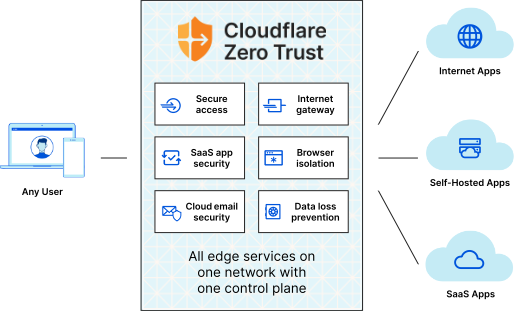
The nice thing about this is that I don’t need a user and password database. I can simply plug in passwordless authentication. Not having to use passwords is more secure. The user must only enter the email, and Cloudflare Access sends a code.
After a couple of clicks and configuration, everything was set up. I already used Cloudflare as a WAF, so it was quicker but easy anyway.
Now, I can share my newly deployed application with the people I want to. And I didn’t write a single line of code. If you want a quick login for your applications and don’t have much time, It is perfect for an MVP.
Sometimes, the best solution is not the one we write about but the one we can put out there as quickly as possible.